Social media captions that convert: a goal-first framework
Social media captions that convert: a goal-first framework Captions shouldn’t be a roadblock between “I have something worth posting” and “you hit...
Social media captions that convert: a goal-first framework
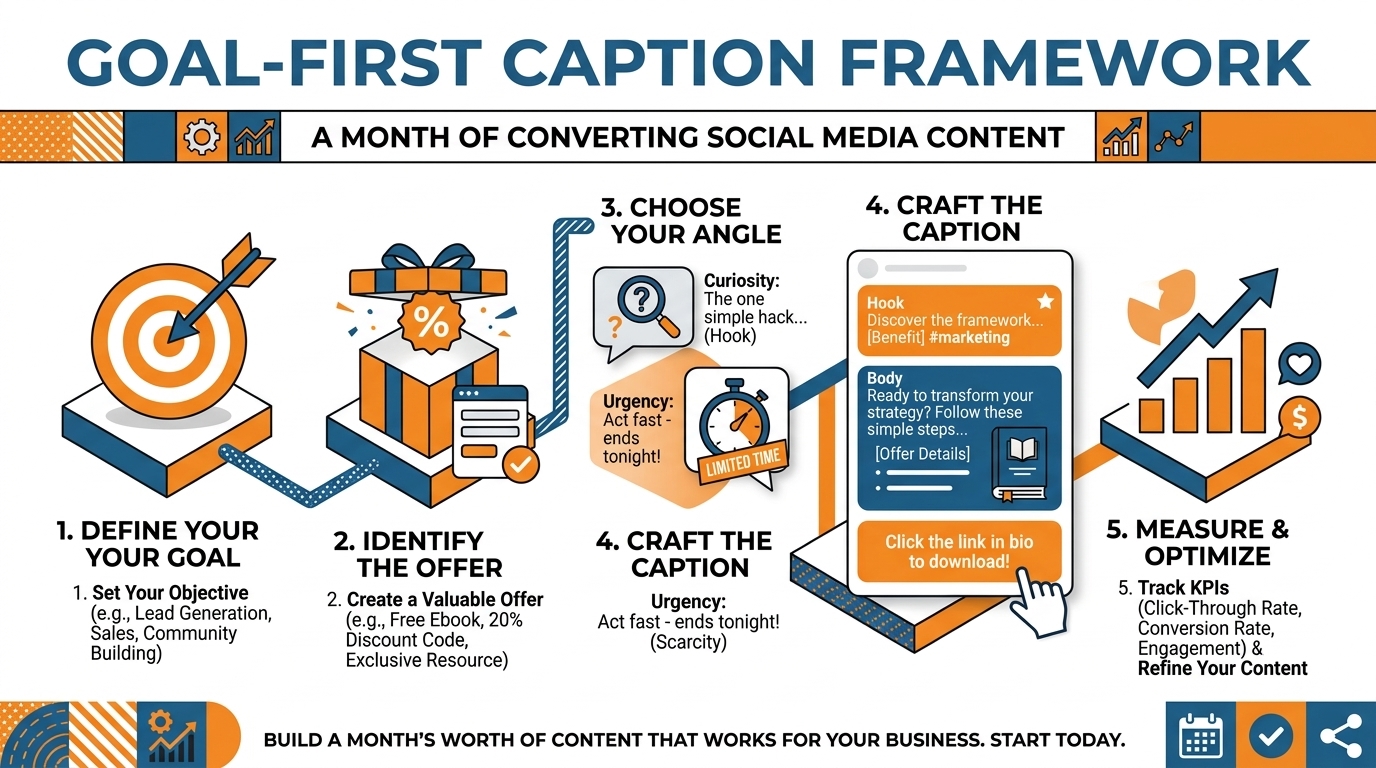
Captions shouldn’t be a roadblock between “I have something worth posting” and “you hit publish”. You can’t just plug in a prompt and pick from a list of generic one-liners if you want to create captions that both sound like you and encourage your customers to take the desired action. You need a rapid-fire decision-making process that repeats the same way every time: you have to define the objective of the post, plug in the inputs, generate a tight set of options, then tweak and choose the best caption based on the platform you’re posting on.
What it comes down to is making a change: Instead of thinking of captions as a creative exercise, treat them as copy for a conversion, with a formula to follow. You determine the outcome you want, you input who your audience is and what they care about, and you make it generate different options that you can easily test. This is how I get from concept to publish-ready captions in minutes, without sounding generic, because the framework does the work for you and you still control the message.
Get your captions in real time by setting the post goal first (there needs to be a target for the AI). Want the AI to instantly generate social media captions that work? Give it a finish line. If you want to speed up this exact workflow inside a tool, try the AI social media caption generator.
Set the post goal first (there needs to be a target for the AI)
More engagement isn’t a finish line.
Choose one primary outcome for this post: comments, saves, clicks, DMs, or a purchase.
Each outcome will create a different caption structure, and the platforms reward those behaviors differently: saves and shares typically extend a post’s lifespan, comments can boost early distribution, and clicks will often sacrifice reach for intent.
Choose the outcome first and you will stop generating nice captions and start generating captions that are designed to achieve one action.
Then, connect that result to your funnel stage, so that the caption speaks the language of the audience reading it.
Cold audiences need to see that something is relevant and specific ASAP, so the first line should say what the problem is and for whom.
Warm audiences are more likely to respond to details, evidence, and calls-to-action, as they already know you.
Decide on one thing that the audience has a problem with, and one single idea that the post is trying to convey.
Once you do that, don’t even think about adding a second idea.
Every time I’ve tried to get generic AI results, it was when I asked for a caption about multiple benefits at once, because the AI simply tries to average and ends up with zero.
Next, pick the CTA before creating so that it will dictate what the caption looks like, as a question CTA requires an opinion and an easy response, a save CTA requires a checklist-type reward, a DM CTA requires a specific purpose to DM and what to say, and a link in bio CTA requires a specific promise that will make the click seem worthwhile.
By choosing the CTA first, you’re making the caption architecturally consistent with what you want to achieve and not just tacking on a generic last line.
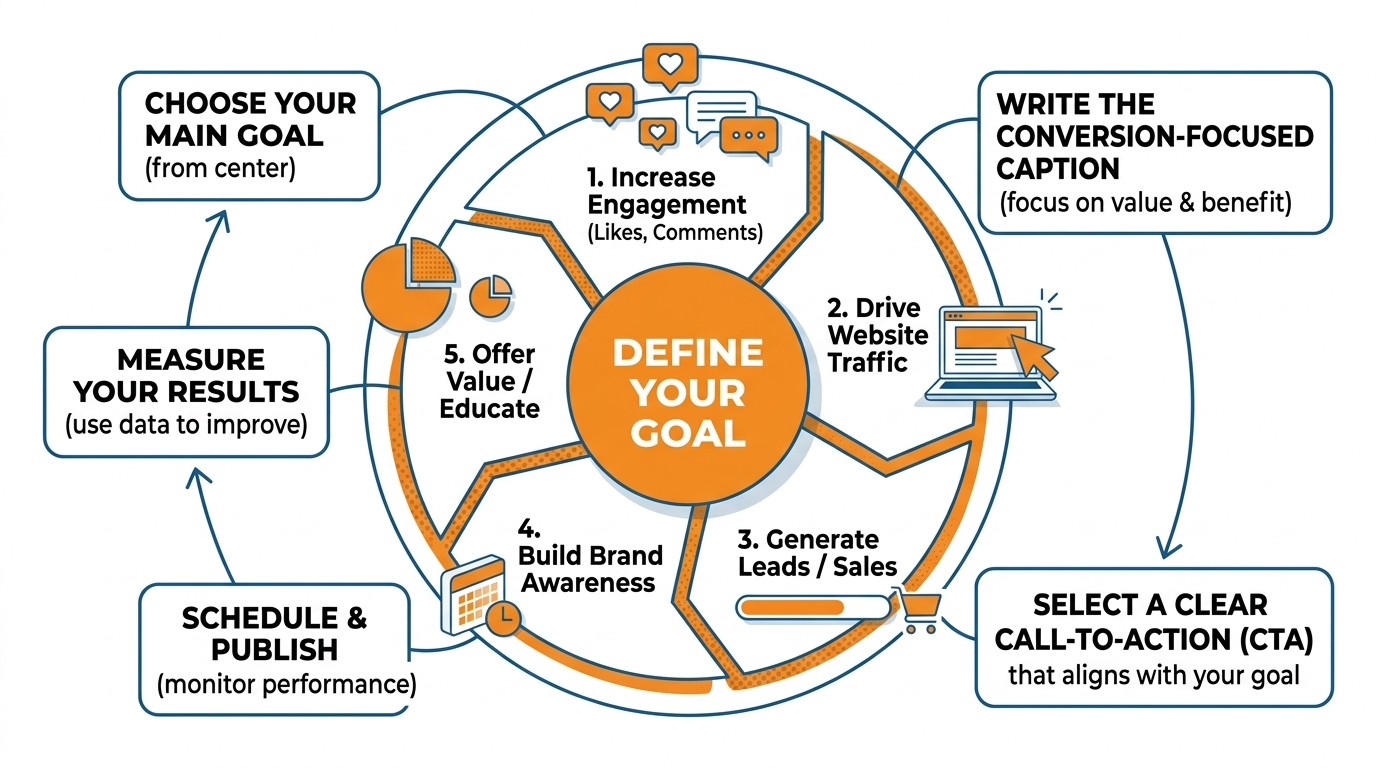
This is how I do it in practice for a small business post: you set goal to saves, stage to cold, pain point to wasting money on ads that do not convert, single idea to one fix you can apply today, CTA to save this.
Every generated option should now start with the problem, give you a tight mini framework, and conclude with a save call that makes sense.
In WoopSocial, the goal-first method is embedded in the process, which is why the captions produced are relevant, not “fluffy.” If you want to systematize this across weeks, a social media content calendar makes the goal-first method repeatable without reinventing decisions.
Develop a scalable brand voice framework (because tone isn’t voice)
Want a button that auto-generates social media captions that don’t sound like AI? Don’t select a tone, create a voice.
A tone is the mood of the sentence, and mood changes daily. A voice is the operating system that runs every single post, even when you’re tired, busy, or batching a month at once.
When small businesses use tone-only prompts like friendly, witty, or professional, the results are indistinguishable from anyone else in your industry because the model defaults to internet-average language.
Now, let’s talk about those five dials you can use over and over to shape your voice: perspective, favored words, forbidden words, directness, and hype level.
- Perspective is the thing you always stand on: I think that simple beats clever in marketing, so I tighten up and make every caption more useful.
- Favored words are the words and phrases you want to be known for: local, made to order, same-day, no contracts.
- Forbidden words are the words and phrases you avoid because they erode your authority: guaranteed results, crush it, game-changer.
- Directness is a question of whether you couch things as “ifs” or state them as facts.
- Hype level is the line you draw for yourself so that you don’t sound like a 2016 Facebook ad.
Then commit to just a few core lines and positioning statements that repeat over time, since it’s the repetition that creates the familiarity.
I want to see those few big ideas dressed up in different ways over weeks and months, so that I can immediately tell who you are in one scroll.
I have just a few go-to lines and one-sentence beliefs that I use over and over again in different captions, hooks, and closers, because when you’re trying to build trust on a small business budget, consistency trumps variety.
When you have your voice system documented, you can input it into every captioning session so that the results aren’t random.
This is how you get batching to stop being a crapshoot, because each result is bound by your vocabulary, your limits, and your promise level.
With WoopSocial, that’s even easier to do at scale because you can import your brand voice from your site or manually enter it, so your captions always sound like the same voice even when you create weeks’ worth of content at once. For a deeper look at scaling this beyond captions, see outsourcing social media to AI.
Also, this shift is already mainstream: in the CreatorIQ creator marketing report for 2024-2025, 91% of brands have used AI for creator marketing, and 45% of brands used AI for generating short-form content in 2024.
Write scroll-stopping headlines for each platform
(the first line does all the work)
Want one-click results? Forget the overall length of your social media caption and focus on the first line.
Pretty much everywhere, the first line of text is where the magic happens.
On Instagram, you have about the first 125 characters to make your case, as posts that pop get the tap, and that improves your overall time spent on content and relevance.
The purpose of your first line is not to summarize the content, it is to earn the second.
Use it like a headline, with one job: to get the next moment of attention.
Intentionally select your hook type and tailor it to the medium’s consumption habits.
TikTok: the hook is consuming while scrolling, so use a P.I. or S.O. that can be processed in less than 1 second.
LinkedIn: the hook is scrolling further, so use a C.T. or P.A.S. that promises a perspective and proof.
Instagram: the hook is “More”, so use a C.G. or S.O. that’s a quick read.
You can cycle through 5 hook types: Curiosity Gap: withholds the how.
Contrarian Take: counters conventional wisdom.
Problem-Agitate-Solve: articulates the problem sharply.
Specific Outcome: names a metric or time period.
Pattern Interrupt: disrupts conventional language.
Choose one per post to avoid the hook and copy conflicting.
Your first line is a micro-contract: what will I get, if I read on?
On Instagram, you need a first line that’s missing the tap: I stopped trying to write longer captions and started writing stronger first lines and my saves doubled in two weeks.
On LinkedIn, you need immediate stakes and a stance: most small businesses do content backwards and it costs them leads, here’s the fix I use.
On TikTok, you need brutal clarity: 3 lines that got my local service business more DMs this week.
See what these do?
They promise an outcome, a shortcut, or a disagreement, and they do it without any wasted context your audience doesn’t care about yet.
Next, the rest of the caption has to live up to the hook: one idea, tight proof, zero fluff, one CTA that’s in line with what you decided in step 3.
The proof could be a rapid statistic, concrete illustration, a mini list, or a before-after snapshot, but it needs to fulfill the interest you piqued in the first line.
This is the weak point of automated captions: they get the hook right, then fall into generic wisdom, which teaches your followers not to take your hooks seriously.
If you’re using WoopSocial to generate social media captions in a flash, your differentiator is the editing pass to maintain hook cohesion: leave the hook alone, make sure the body delivers proof, and end with a single ask that feels like the logical next move. If you want this adapted to a specific network, the AI LinkedIn post generator helps keep the hook native to the platform.
This also aligns with broader adoption patterns: the Capterra research on generative AI for social media content projects companies will use GenAI to produce an average of 48% of their social media marketing content by 2026, and 73% of businesses say engagement and impressions increased with GenAI.
Refine, safety-check, and batch into a real workflow (generate → refine → schedule)
Fast-made social media captions are usually a good starting point.
If you’re just starting out, generate 10-20 captions in one fell swoop and grade them against the single outcome you decided on at the beginning.
Saves are usually gained from tactical, readable (bullet points and framework) content, comments from a direct opinion question with a clear stance, and clicks from a direct benefit with a low-effort next step.
Grading them is important, because practically, only 2-3 out of 10 automated captions will be technically tuned to a specific business outcome, while the rest will be feel-good busy work. If you want a system for that repeatable cadence, build a weekly social media system.
Second, rewrite the top 2 to 3, and rewrite hard.
Your goal is not to expand it, but to clarify it: replace generic adjectives with specifics, add one detail, and cut anything a competitor could write.
The minute you heighten the specificity, you’ll feel the shift, because the copy starts to sound less like content, and more like a company that knows its customer.
Often I’ll take a winning draft, and do one pass to remove every vague adjective (amazing, powerful, easy, ultimate) and replace it with a constraint (time, price, location, who it is for, what it includes) so the reader can self-identify in a second.
If you are in a sensitive or high-risk vertical, insert a claims-and-compliance review before publication.
Check for absolute language, guaranteed results, overhyped timelines, and anything that could be interpreted as deceptive, especially health, finance, legal, housing, before-and-after results, and testimonials.
You want captions that are compelling but do not activate policy violations: add nuance, use ranges instead of absolutes, and disclose what factors impact results.
I’ve seen one word, such as “guaranteed” or “cure,” render an otherwise innocuous caption a problem, so I stick with exact language that sells the system and the match, not a result you can’t assure. This matters in the real world: a Capterra UK labeling press release found only 27% of UK marketers using GenAI for social media content always label it as “AI-generated,” while 56% are moderately to highly concerned about misinformation risk.
Last but not least, batch to avoid the daily creativity tax.
Create a bunch of captions for your entire content calendar in one go: a few different hooks for every post, short and long version, and maybe 2 to 3 different CTAs that fit the intent.
Here’s where an end-to-end tool like WoopSocial comes in handy: I can generate on-brand captions in bulk, ensure language alignment with a voice tool, and schedule a whole month’s worth of content in a single session instead of reinventing all of those decisions on a daily basis. If you want to extend that into automation that still feels human, see smart social media automation.
It’s not just about saving time, it’s about staying consistent.
And consistency is the compounded reach of a small business.
O Fim
Want AI to create social media captions that convert… in a snap? Then you need to ditch speed as the objective.
The objective is speed and direction: a clear post objective, a defined voice to emulate, a hook type that’s native to the platform, and a straightforward loop of choosing the best option, editing and optimizing, and then scheduling it.
With those four components, you go from pressing a button to going from a prompt to a ready-to-publish and designed-to-convert caption… because each one is optimized for a specific action, not “engagement.”
If you want a dead simple performance filter to apply as you create, ask: does someone know precisely what to do next within 2 seconds?
On fast-scroll platforms, your top line gathers attention, middle line generates belief via one concrete fact, and bottom line turns that attention into one action.
I’ve watched small businesses increase saves and DMs by doing nothing more sophisticated than replacing vague assertions with concrete stats (e.g., price, time, place, and who for) because concrete stats lower decision friction and clarify who the reader is.
I think of writing captions as a little weekly science: the outcome stays the same for a set of posts, just the hook type changes, and you can see which version gets you the response you want.
If you make 10, a good rule of thumb is that 2-3 will be mostly right for your result with no editing, so your secret sauce is editing, not creation.
When you are reliably editing soft words to become specs and evidence, you get captions that read like a business with a point of view, not a generator.
This is also where a tool can truly feel instant without any loss in quality: you input your objective, your voice rules and your platform hook selection, and you receive results that already understand your vocabulary and constraints.
This is the difference that WoopSocial is built around so it’s not just instant social media captions you are generating, you are creating publish-ready drafts that remain on brand and on point with the single action your small business needs most from each post.
And if you’re wondering how normal drafting-with-AI has become, the Adobe update on generative AI adoption reports 44% use generative AI for creating first drafts of written content, and 64% cite research/brainstorming as a popular use case.
Related reads
4/27/2026
B2B SaaS social media benchmarks: Set the right targets.
B2B SaaS social media benchmarks: Set the right targets. The trouble with defining B2B SaaS social media benchmarks is that it's an inherently impe...
4/25/2026
Building a personal brand as a technical founder (without becoming a creator)
Building a personal brand as a technical founder (without becoming a creator) Creating a personal brand as a tech founder should feel less about ma...
4/20/2026
Creative Post Ideas for Sustainable Brands (That Don’t Sound Greenwashy)
Creative Post Ideas for Sustainable Brands (That Don’t Sound Greenwashy) That’s not what creative post ideas for sustainable brands should look lik...