TikTok to Reels Crossposting Workflow 2026: The Ultimate Guide
Learn the 2026 TikTok to Reels crossposting workflow. Optimize for speed, views, and Instagram-native quality to beat algorithms & grow.
TikTok to Reels Crossposting Workflow 2026
The act of crossposting in 2026 is no longer a simple TikTok download and upload to Reels. Instagram has become more effective at detecting recycled video content, people have become even quicker to keep scrolling if a post looks like a recycled post, and small businesses can’t risk their top-performing content on a process that promises one outcome: it posted.
When you google “Best TikTok to Reels crossposting workflow 2026”, you’re really looking for a workflow that maintains your views and saves you time. That’s exactly what I’m optimizing for here: speed you can maintain every week, repeatability you can delegate to a team member, minimal distribution risk that avoids algorithms for recycled content, and Reels-native quality that’s surfaced to non-followers and leads to meaningful conversions. If your workflow doesn’t help you retain viewers in the first 2 seconds, remove any visual indicators of TikTok, and strategize for audio and text in Instagram, you’re not crossposting; you’re uploading to nobody.
In this post, I’m going to walk you through a simple, standardized, soup-to-nuts process you can start using right now, with a checklist to catch the little errors that don’t ruin your reach, but quietly reduce it, like lousy safe zones, incorrect cover box frames, sloppy text, and sound options that choke your distribution. I’ll also give you a best process by scenario guide to help you choose your workflow, based on volume, timing, and whether you want maximum efficiency or maximum Reels-native boost. If you want to systematize the planning side too, see this guide on a social media content calendar.
The best way to crosspost from TikTok to Reels in 2026 will depend on the best method for your use case.
The best TikTok to Reels crossposting process for 2026 is the one that solves for the constraint that’s dominating your business.
In real life, that’s one of these four situations:
- The solo creator that needs to be fast and not look like they’ve posted the same content.
- The brand/agency process where three versions of the same edit need to be approved.
- The high volume publisher that needs to batch and repeat.
- The audio-first creator that builds an entire post around the soundtrack.
The error is standardizing on one approach and trying to make every post conform to it.
Either you’re wasting time on posts that don’t need this treatment or you’re pushing the button and silently hemorrhaging views because your Reel doesn’t feel native.
Ultimately, you have to evaluate each piece of content against what will be the only metrics that count in 2026: how fast you can turn them around and how fast you can post while the news is fresh, how deep an edit you need and whether it requires a true translation for Reels’ timing and the safe zones, whether you have a watermark removal and to check for TikTok UI elements and old-is-new signs, whether you need to use Instagram library music or lay in your own clean audio, how to caption them and whether they are burned in or need to be redone, how to schedule them to meet a daily cadence, and how fast to analyze them so you can evolve in 24- to 72-hour cycles. If you’re building around repeatability, social media calendar automation can help you keep cadence without losing QA.
Here’s my heuristic: if I have to change the hook, on-screen text density, or audio to make it work as a Reel, then it’s a translation, not a crosspost, and I should budget the minutes accordingly.
I won’t automate entirely until a Reel’s quality can be trusted not to fail silently.
At scale, it’s not the upload that fails, it’s the QA and native quality checks: a subtitle line cropped out of the safe zone, a cover that’s illegible in the grid, loudness that clips and gets muted, or text that screams “this is a TikTok”.
The little things add up, and you think Reels is worse than it really is while your pipeline is actually the constraint.
I will automate when the format of the content is fixed, the export is reliable, and quality gates are always applied prior to publishing, ensuring that each Reel meets a consistent visual, sound, and data quality bar.
Here are the workflow modes I suggest, depending on your situation.
Manual-first is the way to get every last bit of Reels-native juice from your TikToks: you’re taking the TikTok as a starting point, re-doing the first two seconds, rewriting text to accommodate Instagram safe zones, thoughtfully selecting audio, etc., and then posting as if it was originally made for Reels.
Semi-automated is the way to go for predictability: you’re batching all the annoying parts, but you still take the time to personally review the hook, the cover, the captions, the audio, and then post.
Automated is the way to go if you want to move at lightspeed: you’re automating, but you still have a quality checkpoint where you (or a colleague) takes a minute to inspect for watermarking, safe zones, subtitle timing, audio selection, and then post.
If you align the workflow with the constraint, you’re not fighting your process, and you’re able to get Reels-native content as fast as your business demands. By far the most efficient way to crosspost TikToks on Reels in 2026: if you’re also aiming to scale the system end-to-end, this breakdown of social media automation fits the same principle.
Workflow to make your TikTok content fit on Reels
To make a TikTok feel at home on Reels in 2026, you have to optimize it before you hit that export button.
For starters, the first 1.5 seconds is a different game: On Reels, I’ve shortened the hook by anywhere from 0.3-0.7 seconds (which is faster cut-in, less preamble), increase the edit frequency with micro-cuts every 0.8-1.2 seconds for talking-head style, and reduce the density of on-screen text so the viewer can actually read it while scrolling.
You need to give them the why watch immediately: The problem, promise, or payoff should be made explicit in the first sentence, not inferred.
Your CTA also needs to be Reels-friendly: Rather than asking for likes or follows, my first CTA is typically a retention CTA (watch till the end to see the result), then I have a business CTA afterwards once the value has been delivered because Reels seem to drop viewers more quickly if it thinks it’s an ad within the first few seconds.
Captions: This is the most likely place that a crosspost will out itself as recycled. If you have burned-in captions on your TikTok, you will need to assess whether they are an asset or a liability.
Burned-in captions are quicker and preserve your edit and timing, but they can create a double-captioned look once the IG UI is applied, and they are often positioned too low, where they will interfere with the Reels controls.
If the captions are positioned high enough, clean, and not too stylistically distracting, I leave them burned-in and refrain from adding additional IG captions. If they are positioned low, or they are blocky, or they are heavy, I remake them in IG for greater accessibility and to enhance the native aesthetic.
There is a statistically significant difference: native captions will outperform when your content is viewed with the sound off, but burned-in captions will outperform when your messaging depends on rhythmic emphasis and visual timing.
In either case, you will want the first caption to be visible within the first second of the video, because that initial caption read is often the determining factor between a viewer scrolling past versus stopping on a small business explainer.
Then there’s the cover and safe zone.
These are the quickest things that can destroy the re-upload feel, particularly on the grid and in the Explore preview.
You want a cover that holds up as a thumbnail, but doesn’t look like a thumbnail when viewed in the feed, which means you’re designing to multiple crops: centered subject, giant headline type, and no critical information on the bottom right where the Reels UI is going to chew it up.
I try to keep all critical text and faces inside of a box that’s roughly the central 80 percent of the width, and 70 percent of the height.
I view it as a 1:1 square grid tile, and a vertical full screen frame, before I post.
There’s nothing more obvious than re-uploads where the text isn’t positioned well, and is clearly too low, or the cover is just some arbitrary mid-blink frame, or any of the TikTok-style typography that gives the impression it’s native to a different platform.
Last is your export settings, which is where the magic happens and Instagram compresses your video into a potato.
Currently, in 2026, I’m using 1080x1920, constant frame rate throughout (no mixing 30fps and 60fps in the same video), and a bitrate that prevents any gradient banding or text artifacting, as if the text looks a little bit soft in your video before you upload it, it’ll be blurry afterwards.
Consistent audio settings are important too: I normalize the loudness of my clips to prevent voiceovers from peaking and other clips from being too quiet and making users turn up their volume, since inconsistent loudness is also a reason for viewers to skip your content.
For speed, it’s important to have a system like an assembly line: I have a TikTok master file, an Instagram Reels version and an easily modifiable project file in case I want to change a hook, a caption, or a thumbnail without having to re-render the whole thing.
I also like to have the date, the topic, and a hook name in the title of the file so another person can tell what the file is immediately when they see it, such as Date_BusinessTopic_HookA_TTmaster and Date_BusinessTopic_HookA_IGvariant, and to also have versioning on exports so you can easily revert back to a previous export setting if a tiny change tanks retention.
Crossposting content between TikTok and Instagram Reels is a common practice. For context on why originality matters on Instagram, Meta states that in the U.S., more than 60% of Instagram recommendations are coming from original posts (Q3 2024) per the Meta Q3 2024 earnings call transcript (PDF).
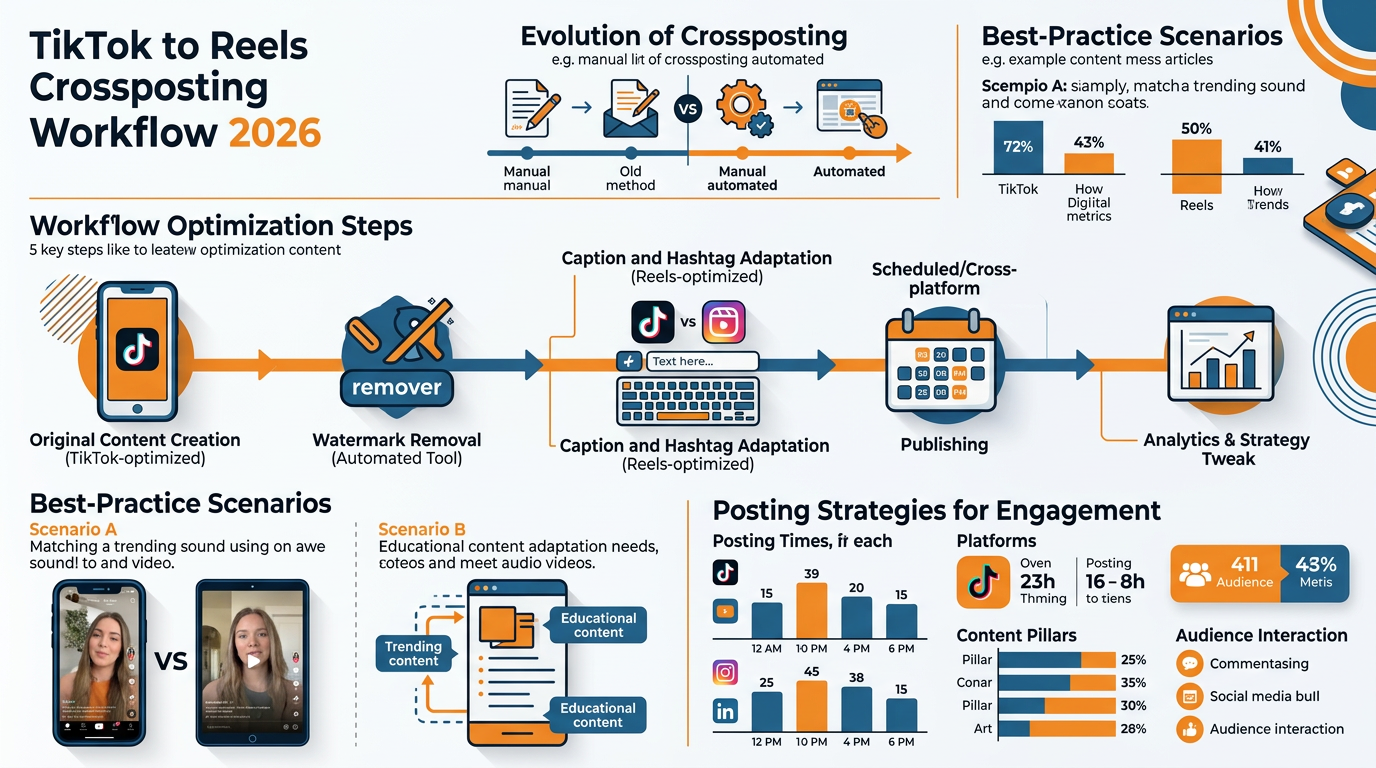
A best-practice scenario for a TikTok to Reels crossposting workflow in 2026
Here’s a best-practice scenario for a TikTok to Reels crossposting workflow in 2026, how to schedule posts, and how to control the risk of re-used content, as there is no FUD here:
- Create new content for TikTok or find a concept you previously posted on the platform.
- Open the TikTok app and select the content you’d like to crosspost to Reels, then select “Next” and “Post”. That’s it! Your TikTok content will now appear on your Instagram Reels.
- Schedule your Reels post on TikTok by tapping “Post” and then “Schedule post.” Pick the date and time you want your post to go live, and voilà! You’re done!
- If you need to control the risk of re-used content, you can use content clusters, or content pillars, to organize your content library into themes and keep track of what you’ve posted and what you haven’t.
- Don’t worry, crossposting your TikTok content to Reels won’t increase your risk of being penalized by the algorithm.
- Focus on creating engaging, high-quality content, and you’ll be just fine.
The way I make this not crazy is by distinguishing between what you can control and what you can’t prove.
What you can control is platform-consumable signals such as watermarks, residual UI, repeated titles, audio signatures, and whether your Reel receives early saves, shares, and completed views.
What you can’t prove is mythmaking such as shadowbans, hidden limiters, and fictional time penalties, so I disregard these and emphasize the controllables that align with what platforms publicly state they desire: unique, high quality, engaging content that’s native.
If you approach crossposting as merely signal hygiene and early traction optimization, the process ceases to feel dicey and begins to feel formulaic.
For duplication signals, your task is to remove the obvious traces of a repost, and also to not leave traces of a trace.
You know to get rid of the TikTok watermark, but in 2026 the traces are more likely to be: TikTok interface burn-in, the TikTok caption positioning conflicting with the IG controls, and the screenshot-like cover.
If your TikTok is going viral, don’t think you can’t reuse it on Reels.
You just need to make it native enough: replace the first line of on-screen text, recreate the cover, and edit the beginning so the first second doesn’t feel like a replay.
When I reuse a winning video, I leave the essence of the content the same, but I change at least three things that people notice right away: the first line of text, the first caption card, and the visual cadence in the first two seconds.
That leaves the essence intact, but removes the traces of a repost.
Audio is the number one way smaller creators unknowingly de-native their Reel.
If you’re selling your voice and message, keep the original audio and make sure it’s optimized: even volume, no peaking, no slight hum of a background hiss and absolutely no clunky silence at the beginning that will cause viewers to drop before the hook kicks in.
If the content is predicated on a trend or popular music to aid in retention, you need to switch to an Instagram library audio track so your Reel can play within that system without needing you to rework the narrative.
The key here is to maintain your same message and intent but present it in a way that feels native: you might be able to keep your voiceover, just duck it under the track a bit and then cut to the rhythm to make it feel native to Reels and not just an IGTV upload.

I like to make this call quickly by asking this simple question you can ask yourself: would this still perform well with sound off; if yes, keep the original audio; if no, consider an Instagram track to add structure and flow.
Posting strategy and engagement (without looking spammy)
Once you’ve audited your content, your posting strategy should be optimized to maximize engagement without appearing spammy.
Keep your captions concise and structured: one line of value, one line of context, one call to action that follows your business objective. If you want help tightening structure without losing speed, an AI caption generator for Instagram can reduce the time it takes to draft and iterate.
Limit your hashtags: a small handful of relevant tags is more valuable than a cluster bomb of discoverability tags.
Pin a comment that addresses your customer’s first point of resistance, as it encourages viewers to engage more, resulting in comments and view time that outweigh likes.
Share to your story after your Reel gains some traction, not the moment you post.
Give the Reel time to gain some initial engagement, then use the Story share as a secondary boost to generate profile visits and saves, rather than filling your view count with lower-intent viewers right off the bat.
Finally, your content cadence should prioritize consistency over quantity.
Use a content factory to create in bulk so that you can post at a consistent rate, post at different times on different platforms to prevent training your followers to not pay attention during the same minute each day, and post at different times on TikTok and Instagram to prevent over-indexing on shared views that may reduce each platform’s chances of independent first-hour success.
On format performance, overall average viewcount in Q4 2023 was TikTok 143,912 vs Instagram Reels 120,917 vs YouTube Shorts 54,428 per the EMARKETER KPI report on short-form viewership (PDF).
Build a feedback loop: 1 hour, 24 hours, 7 days
In 2026, how should you crosspost from TikTok to Reels to ensure a seamless feedback loop, track performance analytics, and continue growing the workflow sustainably?
Your TikTok to Reels crossposting workflow 2026 only gets truly effective once you operate it as a feedback loop, not a posting routine.
You need at least 3 time windows in that loop: 1 hour, 24 hours, and 7 days. Each answers a different question.
At 1 hour, you are not yet evaluating the entire content, you are evaluating the stopping power and the premise promise: did non-followers stop scrolling, and are they still around after the first beat drop. If your 1-hour retention falls off before you even finish your first sentence, the hook is the issue, not the content.
At 24 hours, you are evaluating whether the content holds up midstream: do people keep watching until the first value milestone, and do you get saves and profile visits that indicate purposeful consumption, not just passive scrolling.
At 7 days, you are evaluating virality and longevity: does it keep getting new viewers even after you haven’t posted about it, and do reshares outnumber comments, which often indicates the Reel is being sent privately because it solved a specific problem.
Those three windows give you precise directions on how to proceed, and you should have a purpose for your next move.
If the first hour is weak, you re-edit the intro but leave everything else the same: swap the first line, lose 0.3 to 0.7 seconds of introduction, and get to concrete value sooner.
If the first hour is good but 24 hours stalls, you leave the hook alone and revise the pacing of the body: shorten the explanations, add an earlier example, and move your best evidence up by 2 to 3 seconds so that they feel something.
If retention is fine but the post does not travel, you leave the content alone and revise the vessel: I will swap the cover, rewrite the caption to front-load the outcome, and pin a comment that solves the most obvious objection so that they don’t feel exposed when they share.
If you don’t see any signs of life after a week and don’t see a way to obviously fix things, cut your losses and walk away fast and learn the lesson, because doubling down on a dead idea is how small businesses waste weeks.
Scale without losing quality
As for the ability to scale and maintain quality, it’s easy.
Automate the things that suck.
Automate routing.
Automate asset handling.
Automate naming, folders, exports, subtitle files, and a smooth hand-off from the editor to the publisher so that nothing gets lost, duplicated, or posted with the wrong cover. If you want a broader view of what to automate first, this guide on marketing automation covers the same “system first” thinking.
Leave the creative adaptation and QA to the humans.
This is where the performance falls apart.
Safe-zone mistakes, low-contrast captions, covers that look great on a full screen but are unreadable on the grid, audio that clips and gets muted, or the first line of text that reads like it’s TikTok grammar on Instagram.
I run my QA process like a pre-flight checklist.
I would rather not post a Reel than post a technically accurate Reel that looks recycled, because recycled-looking content trains the algorithm and your audience to ignore you.
If you want to make each new batch not just larger, but smarter, then you need a win library, which translates outcomes into repeatable choices.
When each Reel does its job, label it with hook type, topic, structure, proof style, and any other trait that allows you to detect what works, such as problem-first hooks outpacing story-first for your service, or list formats crushing talking-head monologues when the viewers are cold.
I label whether the winner used native captions or burned-in, whether the cover was headline-led or curiosity-led, and where the first real value was injected, in seconds, because these are the things you can reliably replicate.
Once you have a win library, your next production day isn’t starting from a blank page; you’re making intentional variants of winners, and that’s the difference between more and scaled.
As ad inventory shifts, Reels ads accounted for 21% of all Instagram ad impressions in Q2 2025 (up from 13% in Q2 2024) per Tinuiti’s Digital Ads Benchmark Report Q2 2025, and EMARKETER notes Reels ad impressions on Instagram rose from 13% to 21% of total impressions YoY per Tinuiti in its write-up on the trend, how Instagram advertisers are shifting spend to Reels. In that same EMARKETER piece, Reels carried 53% of all Instagram ads in Q4 2025 (per Sensor Tower, referenced by EMARKETER).
For cross-channel engagement context, TikTok 4.5% vs Instagram 4.0% vs YouTube 2.8% is cited in a report summary by the outlet in a reach comparison of TikTok and Instagram Reels, with sample sizes cited as TikTok n=1,150; Instagram n=2,956; YouTube n=631, and in media & publishing, posting frequency cited as ~11 posts/week on TikTok (up from 5/week the prior year).
O Fim
The best TikTok to Reels crossposting workflow for 2026 is not some hack, it’s a system that preserves Reels-native signals while still moving fast enough that you don’t drop it after 2 weeks.
You want to preserve what Reels rewards: a clear first second, legible safe-zone text, grid-worthy cover art, and audio that feels native to Instagram, but still go fast enough to publish weekly.
This way, you aren’t playing a game of chance with every repost, you’re building a repeatable process that consistently delivers to non-followers.
Last tip: choose the mode that suits you, and apply the same review and optimization process.
If you’re a small business, reliability will get you further than heroic editing, because most reach leaks are always in the same places: the hook timing, the cover frame, the caption style, the music selection.
I’ve seen the exact same concept work or fail depending on whether the Reel appeared designed for Instagram in the first two seconds, and that’s the difference between content that posts, and content that spreads.
What you need to do now is lock into a single funnel for 2-4 weeks before expanding.
You have to stay consistent with it and then analyze the funnel metrics within the same time frames: 1 hour for stop power, 24 hours for saves and profile actions, and 7 days for ongoing distribution.
So if you’re dropping off before the sentence even appears, optimize the 0.3 to 0.7 seconds; if the viewership persists but the shares don’t, change the cover and caption framing; if the viewership is there but the customers aren’t, change the comment that answers the first objection.
Then repeat the process, not just the media.
Continue what’s effective as policy, eliminate what’s holding you back, and tighten your quality gates so every Reel that you publish carries the same native signals.
When your process is mature and your win library is building, more quantity is actually a low risk, because you’re amplifying a proven system that delivers consistent results, not increasing the amount of noise.
Related reads
3/2/2026
Threads for business: How to get started in 2026
Discover how small businesses can leverage Threads in 2026 for conversation-led growth. Learn to test offers, build a routine, and convert attention to action within the Meta ecosystem.
2/21/2026
How to Market a Law Firm on LinkedIn
Market your law firm effectively on LinkedIn. Learn a system that leverages individual lawyer profiles to build trust, relationships, and attract ideal clients.
2/17/2026
Vertical Video Aspect Ratios for Every Social Platform Guide
Learn the optimal vertical video aspect ratios for TikTok, Instagram, YouTube, and more. Shoot once, edit once, and publish everywhere without cropping.