Nonprofit Social Media Templates: Design & Strategy
Nonprofits, save time and ensure consistent messaging with strategic social media templates. Build a system combining design and planning for impactful fundraising and advocacy posts.
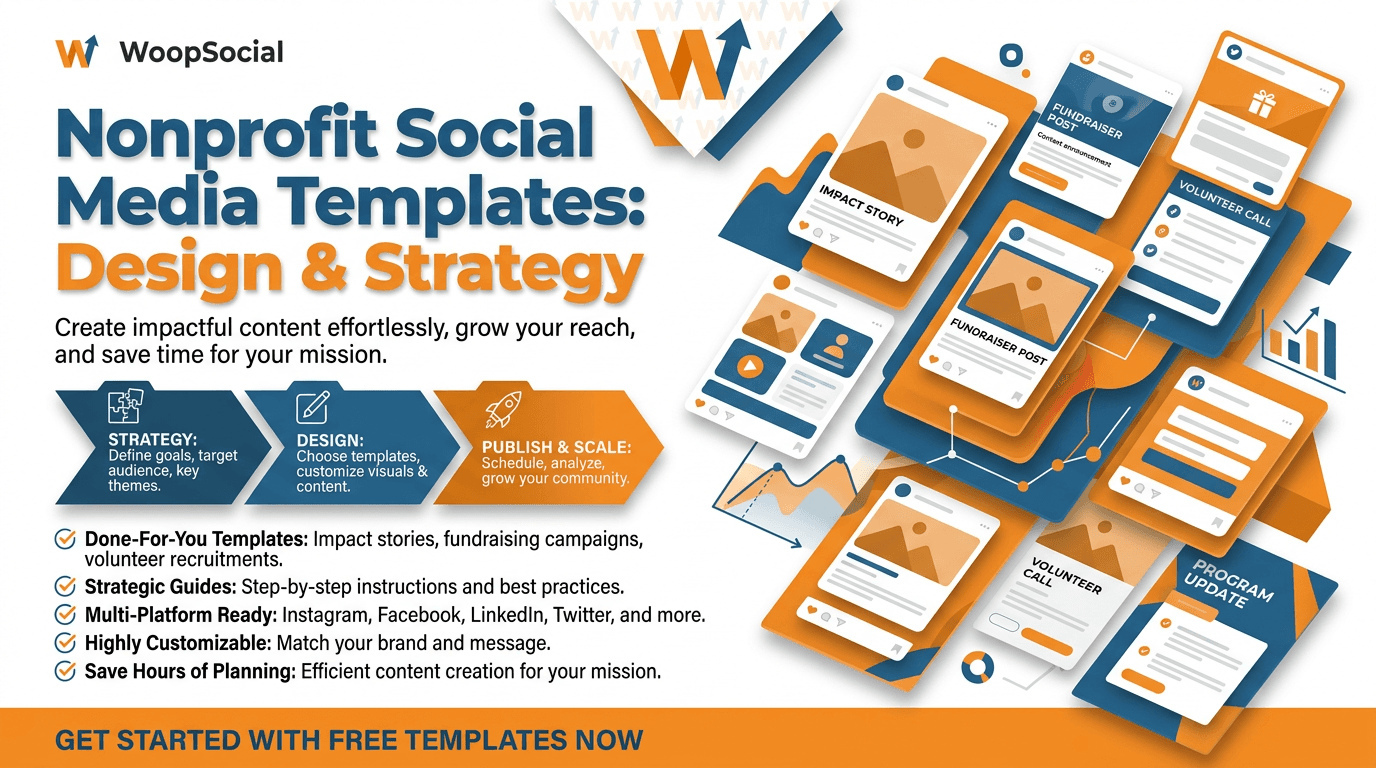
Social media templates for non-profits shouldn’t just be about beautiful designs.
When you’re a small nonprofit or community-driven SMB with just a handful of people on staff, templates are the best way to preserve the resources that are most scarce for you: time, consistency, and message accuracy.
With templates, you can post more without looking repetitive, minimize eleventh-hour edits, and make sure key information doesn’t get lost while you’re typing between phone calls to donors, delivering programs, and organizing volunteers.
The problem is that the keyword has a double meaning. There are times when you’re looking for creative templates - things like post designs, story templates, caption prompts, reel openers, and carousel templates that you can adapt in minutes. And there are other times when you’re looking for planning templates - things like content buckets, campaign planners, weekly schedules, and key messaging templates that help you get everyone on the same page. You need both - but you need them designed and integrated into a single template, because a gorgeous visual template without the right words (and the right boxes) can mean confusion, a compliance issue, or an ask that’s off the mark and losing you donations and trust.
In this guide, you’re going to learn how to create a system for social media templates for nonprofits. I’ll walk you through how to select the right template types for fundraising, volunteer signups and advocacy; how to format them to keep your content human and on-brand; and how to use them without adding risk or creating unnecessary approval layers. My team uses a simple template rule, for instance, that requires every single social media post to answer 3 questions at a glance: what changed, who it impacted, and what do you want the viewer to do next. And if you apply that rule across every template in your library, your content will be faster to create and easier to approve because you know it’s already accurate, even before someone opens a design program. For a broader view of how systems reduce chaos, see smart social media automation.
Nonprofit Social Media Templates: What You Should (and Shouldn’t) Template
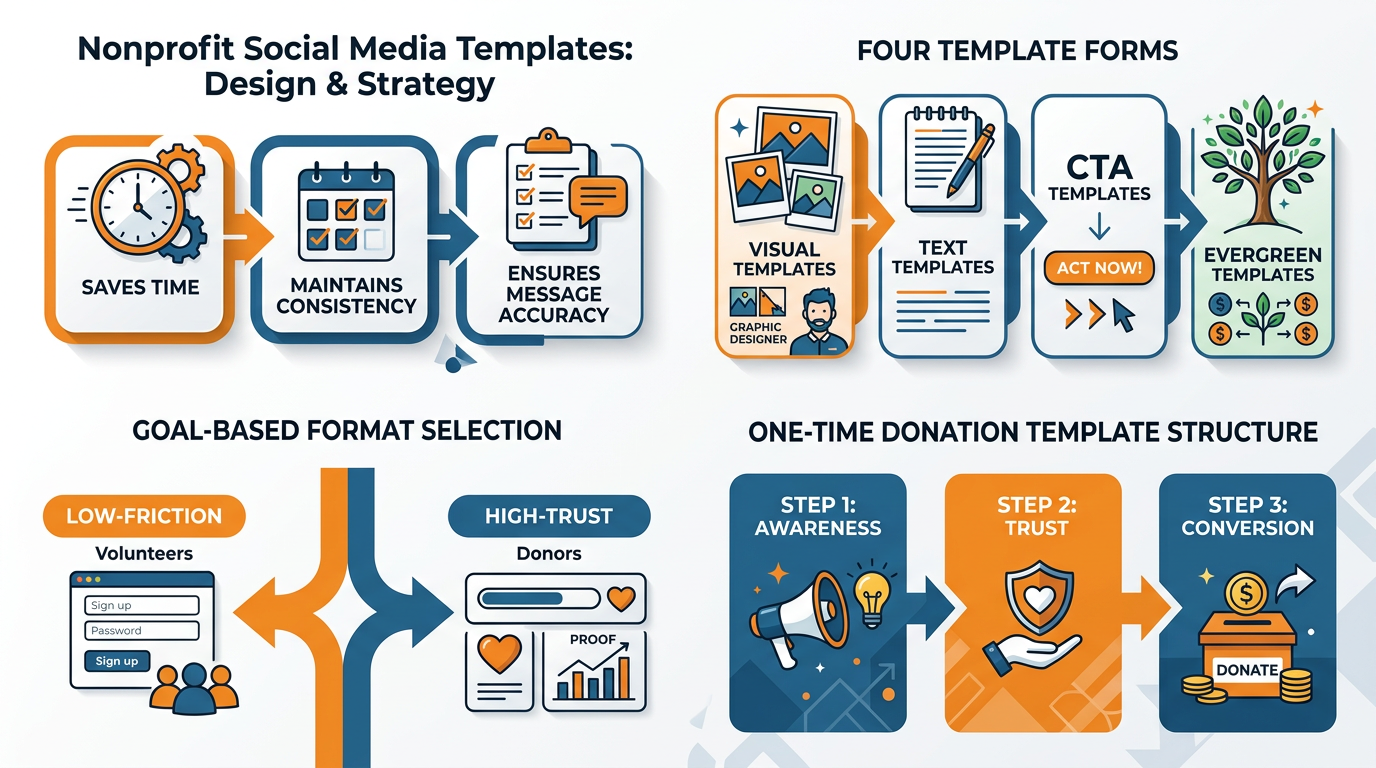
The best social media templates for non-profits are those that you can actually use for the long haul-and that you can think of in four different forms:
- Visual templates: Think of visual templates as your basic design template. For example, it might be a template for a 2-stat card you share to report on your impact, a before and after card, a card to remind people of an event, or a card to feature one of your volunteers. The text and the image change, but the structure and design-even the placement of your logo and the size of your font-stays the same.
- Caption templates: Think of caption templates as a fill-in-the-blank for your copywriting. These are the ones that help you cut the length of your captions down, and reduce the amount of time you spend back-and-forth with your team for approvals.
A great example might look like this:
Problem:
What we did:
Result:
Proof:
Next step:
- Campaign templates: These are the highest-leverage templates out there, and the ones most helpful for small teams. They help you skip over the daily decision of what to post, by creating a structure for your campaigns.
For example, you might have a 7-day fundraising campaign template that includes:
- Day 1: Kickoff!
- Day 2: Behind-the-scenes
- Day 3: Context about the beneficiary
- Day 4: Progress
- Day 5: Matching donation opportunity
- Day 6: Last chance
- Day 7: Thank you!
- Engagement templates: These are your simple social media prompts that help you encourage more engagement from your followers-and start teaching your followers to engage with you on a regular basis. Great examples of engagement templates include a one-question poll, a this-or-that option, a comment-to-vote, or a quick myth vs fact.
Native templates outperform static templates because they’re tailored to the user experience of the platform, and user attention is the real currency you’re fighting for. A useful way to operationalize that is to build a social media content calendar so the right templates show up on time.
Stories templates outperform when intent is medium and you need to give people a quick journey from curiosity to action, so you create a standard 3-5 frame template like hook, proof, human moment, simple action, close.
Reels and TikTok templates outperform when you need reach, so you create a standard first 2 seconds template like a big on-screen claim, a fast visual change, and a clear why it matters, followed by a standard 3 fast facts plus 1 human detail template.
LinkedIn document post templates outperform when intent is high and professional, so you create a standard mini-report template like 1 page headline, 3 pages of evidence, 1 page of what you need, 1 page of credibility.
Quote tiles tend to be low-leverage because they get passive likes but don’t move people closer to donations, volunteers, or advocacy unless the quote is tied to a moment, proof point, or decision.
When you choose formats based on what you want to accomplish, rather than how you want to look, you’ll spend less time agonizing. Benchmarks can help you prioritize, too-for example, M+R Benchmarks 2022 reports that each organic Facebook post only reached 4% of a nonprofit page’s fans, and that 30% of the audience reached by a given post was not already following the nonprofit.
Choose formats based on what you want to accomplish
When you’re signing up volunteers or announcing an event, use the lowest-friction formats you can find: Stories sequences and short-form video that clearly tells people what will happen next, since knowing exactly what to expect is what converts.
When you’re establishing trust with donors, use proof templates: carousels of results, cost breakdowns, and what was different, since the more specific you can be, the more likely people will support you again.
When you’re trying to grow your reach, use native short-form video templates, since most platforms still reward view time and replays over still saves.
I’ve seen small organizations double their effective engagement simply by templating the first line of the caption into one clear promise and a timeframe, and repeating that same format in every post for a month until their audience can spot it immediately. If you want to quantify what “effective engagement” really means, use an engagement calculator.
To make templates authentic, template the things that shouldn’t surprise anyone and don’t template the things that need to be human.
Template structure, CTA logic, branding, and your fact checks, like always calling the program by name, always listing the location, time, and eligibility, and always ending with one ask not three.
Don’t template beneficiary stories, sensitive updates, and crisis communications, because those moments need real context, dignity, and nuance that can get lost or distorted in a template.
If you need a hard and fast rule, it’s this: template the container, not the person.
Reuse the narrative arc, but fill in the details anew each time so your community registers the impact of your work, not the sameness of your content.
These templates were created for non-profit organizations to use on social media for a variety of purposes, including fundraising, volunteer recruitment, advocacy, and stewardship.
The problem with almost every library of social media templates for non-profits is that they begin with designs rather than results.
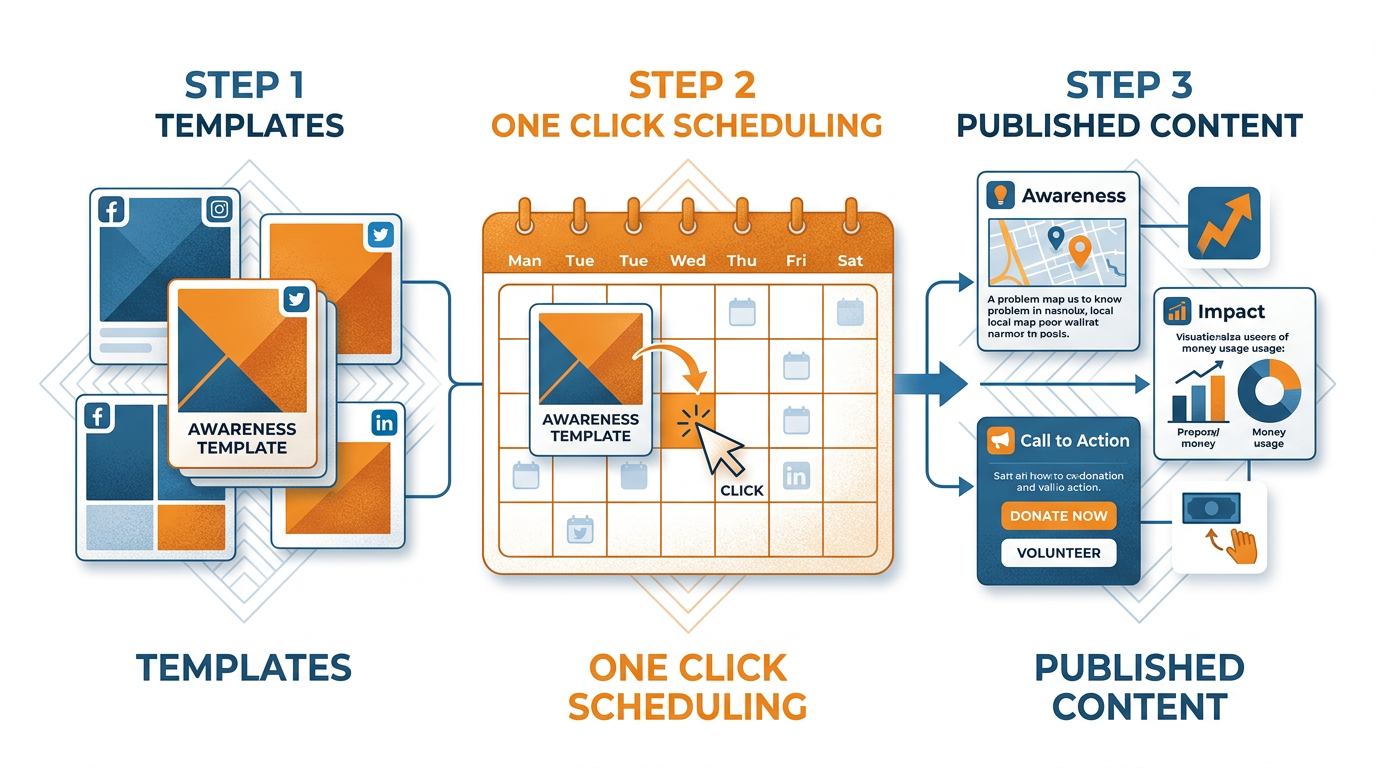
The solution is to start with a framework that connects each template to a funnel step: awareness (reach and relevance), trust (proof and transparency), conversion (one clear action), and stewardship (retain and multiply).
When you organize your templates in this way, you don’t have to guess which post to use, you can simply decide which template will deliver what your audience needs next.
This is crucial for smaller teams where every post needs to pull its weight.
Here are the most common applications, so you don’t blow your content calendar up.
For one-time donations
Awareness template that puts the problem in a local, specific context.
Trust template that shows the receipts like outcomes, cost breakdowns, what changed, etc.
Conversion template that asks once, for one use of funds.
For monthly donations
Trust template is moved to more consistency and predictability, because recurring donors are activated when they see how stability improves outcomes (I reuse the same visual, and just change the proof block from one-time impact to month-over-month continuity, stating “and this happens every 30 days…”).
For event attendance and volunteer signups
Low-friction template that answers as much as possible to cut down on uncertainty: what you’re going to do, where to meet, how long it takes, what to bring, who it’s for, etc.
Logistical ambiguity is one of the biggest silent killers of event and volunteer signups, even when people want to.
Advocacy, petitions, and corporate matching require their own templates for the same reason.
For petitions and advocacy, focus on telling your reader what decision is being made, who is making that decision, what will happen if you win, and how to take the next step, and avoid using over-the-top rage-bait language that may drive more comments but simultaneously decrease the likelihood that moderate supporters or local, on-the-ground partners will trust you.
For corporate matching, think of the template as more of a guided assist than a fundraising ask, starting with simple language around eligibility before making the case for why it’s worth their time, since an employee is only going to take the extra step if they believe it is both safe and easy, as well as worth their time.
I’ve seen small nonprofits raise more money just by templating out the flow into a two-screen explanation with a small follow-up sequence, instead of hiding it in a generic donation post.
The key thing your template library is likely missing isn’t formatting, but rather copy prompts and CTA rules that keep your messaging and reputation safe.
To every template, you need to attach a few copy prompts that suggest what to include and what to leave out, and attach a CTA rule that might say things like one audience, one action, one timeline.
And you need adaptation notes so that the same template can be used for fundraising, partnership building, communication to beneficiaries, and work with your local community: you’d change the why it matters and what kind of proof you offer, but not the overall structure.
I achieve this by keeping the template container the same, and just changing the credibility block based on the intended audience: donors need outcomes and costs, partners need capacity and collaboration, beneficiaries need dignity-led information about how to access, and the local community needs proximity and shared interests.
They offer non-profit social media templates designed specifically for each platform’s algorithm and behavior. If you’re pairing those templates with fast copy generation, an AI social media content generator can help maintain consistency without adding extra approvals.
Platform-specific template rules that actually work
The most common social media template fails I see in non-profit marketing are templates that are essentially the same across all platforms.
The better approach is to template for the specific behaviors and signals each platform is optimizing to measure, and the psychology each user is bringing to that feed.
For instance, on platforms like Instagram and TikTok, saves and shares are the most valuable signals because they’re more significant than a quick like.
So your templates for those platforms should be designed to be save-worthy, such as a simple checklist of eligibility criteria for a program, a three step how it works graphic, or a cost-to-impact breakdown people might want to keep handy.
On short-form video platforms, watch time and replays are the signals that drive reach, so it’s not just the visuals that need to be templated, but pacing and pattern interrupts and clarity, as well.
And on platforms where comments drive distribution, your templates should include intentional, low-friction, safe calls for comments, such as “which of these two programs should we prioritize?” or “post one word that sums up why you care about this issue”, rather than goading people into controversy.
For Reels, TikTok, and Shorts, I use a script template that is designed for retention: hook, proof, mission, CTA.
Your hook is a tangible change over time, for example what changed in 7 days, rather than a generic motivational quote.
Your proof is one hard receipt, such as a metric, a visual before-and-after, or a quick glimpse of the work being done, because people decide within seconds if you are legitimate.
Your mission block is one sentence that ties the proof to the larger purpose, so it feels impactful rather than just content.
Then your CTA is one ask that aligns with user intent on that platform, usually beginning with a low ask, such as comment a hashtag for more information or share this with a friend nearby, because the algorithm incentivizes the action and your audience appreciates the direction.
When you create templates like this, you no longer have to figure out what to create and you can actually design for minutes viewed. Platform trends can reinforce where to focus-M+R Benchmarks 2024 notes that TikTok audiences for nonprofits increased by 112% in 2023, while Twitter/X followers declined by 1% on average in 2023.
I think that stories should be their own medium because they’re a series of frames instead of a single post.
One of the templates I use is poll > impact stat > behind-the-scenes > link or DM.
Start with a poll because tapping is the easiest way to engage on mobile and it primes the rest of the frames to be viewed.
Then drop one impact stat that’s specific enough to feel real (e.g. # of families served this week in one neighborhood).
Then show behind-the-scenes to build trust and alleviate donor skepticism (because process is often easier to believe than any claimed outcomes).
Finally, direct people to one next step, and your template should literally leave space for the one detail people need to know to take that step (e.g. time, location, eligibility, what happens when they DM).
The secret tool for nonprofits is LinkedIn, where the native document post can be used as a mini-report, easily scannable and saved and shared and passed around, which is how collaborations and major gifts get started.
Rather than trying to force an Instagram carousel template onto LinkedIn, you develop a template for impact reporting and case-study storytelling: a cover page with one impact headline, a page that situates the issue in your region, 2-3 pages that share evidence and challenges, a page that shares what you learned or adapted, and a final page that shares what kind of help makes what happen next.
The savvy content-repurposing technique is to develop one basic story and then render it in platform-specific templates, without duplicating words: the same case study is a hook-proof-mission video for Reels, a poll-to-proof Stories sequence for your warm network, and a LinkedIn document that makes your impact concrete for professional viewers who need to be able to share that with others before they can help. If you want a deeper system for reuse, see content distribution automation.
Social media templates for non-profits: operations, approvals, and partner amplification
Most blogs on social media templates for non-profits end with the design piece and that’s precisely why templates fail in practice.
A template only saves time if the ownership, approvals, and compliance processes are equally standardized.
You can solve this by templating the meta work: you standardize your intake so every request comes with the same amount of context, you assign a single owner per post so revisions don’t become a team sport, and you pre-establish what success looks like so approvers don’t have to re-write copy from scratch.
I approach this as an operations challenge, not a design challenge, because the longest lead times I encounter aren’t around creating content, but around waiting for someone to answer a question they could have been asked at the outset.
Create two to three tiers of approval tracks based on risk, and run each post through a track before a draft is opened.
Evergreen impact stats and volunteer reminders are low risk and can be approved by one approver, for accuracy and brand voice.
Mentions of partners, minor fundraising claims or beneficiary updates are medium risk and require a second pass for accuracy and tone.
Incidents, safeguarding-adjacent issues, medical or legal content and anything involving minors are high risk and require the full treatment, and your template should ensure that all the right checks are in place: photo consent confirmed, identifying information removed, dignity check performed, claim-proof link verified.
If you do this, you will stop quibbling over approver assignments for every post, and you will begin publishing content with consistent lead times and less last-minute killing.
You need to have templates with guardrails so that your consistency does not become rigidity.
You can achieve this by templating brand voice guidelines, not brand voice copy: what you do say, what you don’t say, how you refer to your customers, and how you discuss results without over-claiming.
I even have a crisis/incident posting template that can be customized in less than 5 minutes: verify the source, verify what you can say, determine if you should wait rather than be swift, lock in one source, and make sure every post answers: what we know, what we don’t know, what we are doing next, and where to get updates.
I’ve seen small teams avoid unnecessary reputation damage simply because a template pushed them to swap out speculation for verified facts and a calm update schedule.
Last, treat partner amplification as a scalable process rather than a one-time gift.
You can categorize partners by what they can deliver for you: reach partners for impressions, trust partners for credibility, and action partners for signups or donations; and then run a basic co-posting process: You provide partners with a simple content swap package that includes one native asset, one caption variant in their voice, and one proof point that is simple to repeat, and you coordinate timing so that posts are stacked rather than scattered.
Measure partner impact with the same rigor that you measure your own posts by using unique links or unique keywords you ask supporters to use, then compare partners on the basis of cost per impact, not per like.
That’s how social media templates for non-profits can become a channel, because your strongest templates are not just faster to produce, they are also simpler for others to share correctly. If you want to ground testing in industry data, the Rival IQ 2024 industry benchmark analysis covering more than 5 million posts and 10 billion likes/comments/favorites can help shape what you measure and how often.
Em conclusão
Non-profit social media templates are most effective as an interlocking framework rather than a collection of gorgeous graphics.
By integrating intent-driven content with platform-specific templates, safety features, and scheduling capabilities, you shift from hoping your content performs well to knowing it will.
That’s because, in this scenario, each template serves a purpose in the funnel, each template adheres to the corresponding platform’s usage patterns, each template comes with safety features that discourage dangerous modifications, and each successful template can be reused without starting from a blank slate.
So here is your next action: go back over your last 30 days of posts and rate each one on whether it asks for one clear action and makes it easy.
You will often quickly see the trend: too many awareness, a few trust, not nearly enough conversion clean and simple, too many heartstring tugs with no proof, context, and next step clarity.
I also look for posts that were duplicative, posts that took an hour to do but only resulted in a handful of clicks, and posts that did well but were not reworked into a second media or shared with a partner.
Next, choose one goal to template at a time, not five.
If you have a tiny team, choose a monthly donor ask or volunteer recruitment because they’re repeatable and measurable, and they’ll require you to get clear on who this is for, what’s next, and what will be different because of it.
Choose a small testable set of templates for that one goal, say one trust proof post, one conversion ask, one objection response, and one stewardship follow-up, each formatted for the way your audience actually reads and watches each medium.
Last, optimize the system with signals, not signals.
Measure saves, shares, intent comments, click-throughs, completed sign-ups, and converted donations, and revise the templates just as you’d revise a sales script: save what works, and kill what only gets a courtesy like.
By integrating social media templates for non-profits with engagement and conversion metrics, you get a very unusual outcome: content that becomes both faster and better over time. And if you’re scaling visuals with limited staff time, Canva says it is empowering over 585,000 nonprofits globally, which reinforces why ready-made assets and repeatable systems matter.
Related reads
4/18/2026
Can AI Replace a Social Media Manager in 2026?
Can AI Replace a Social Media Manager in 2026? By 2026, AI will become an imperative part of social media, not an accessory. It’s baked into cre...
4/14/2026
Streamline Your Social Media With a Simple Operating System
Streamline Your Social Media With a Simple Operating System If you are looking for ways to streamline your social media, you probably aren't short...
4/13/2026
The Best Time to Post Instagram Reels for US Startups
The Best Time to Post Instagram Reels for US Startups There's no one-size-fits-all posting window for US startups that will automatically boost you...