Generate X/Twitter Captions with AI
Use AI to generate X/Twitter tweet captions faster. Describe your tweet idea, get caption suggestions under 280 characters, then edit and schedule them.
Generate X/Twitter captions with AI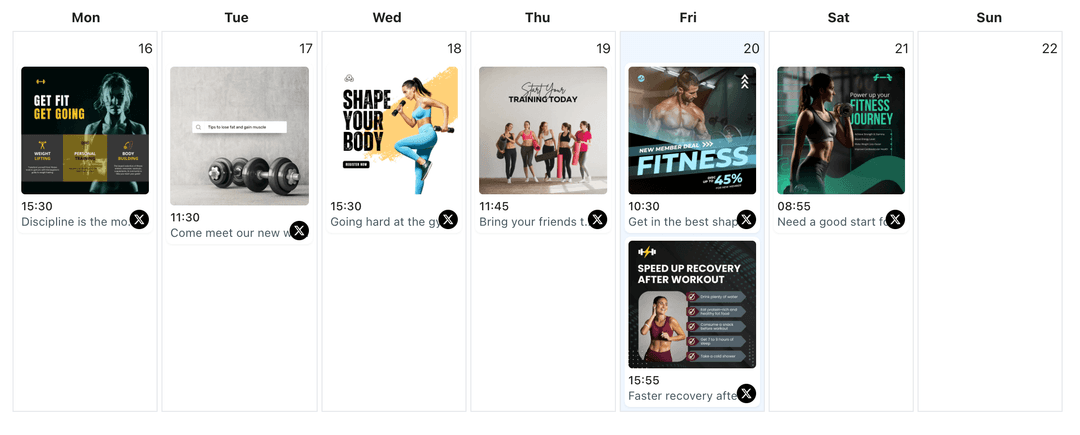
Used by creators and businesses who want to write X/Twitter captions faster without losing their brand voice
Posting consistently on X/Twitter requires a steady stream of ideas and concise wording that stays under 280 characters. WoopSocial's AI caption generation helps you move from idea to caption draft in minutes. You describe your tweet concept, and AI returns caption suggestions that fit the character limit, which you can review, edit, and then schedule on your X/Twitter content calendar.
Grow your presence
Streamline your X/Twitter strategy with powerful features designed for creators
AI Caption Drafts for X/Twitter
Describe your tweet idea, update, or announcement and ask AI to draft X/Twitter captions that stay under 280 characters. When a caption feels right, you can schedule the tweet from the same X/Twitter content planner. X/Twitter content planner
- Character limit-aware prompts
- Concise caption options
- Editable AI suggestions
Caption Variations Under 280 Characters
Generate multiple caption options for the same tweet so you can test different hooks, angles, or call-to-action phrases without rewriting everything from scratch. All suggestions stay within the 280-character limit.
- Multiple caption ideas
- Short and punchy variants
- Tweet-specific tone
AI Captions that Fit Your Visuals
Upload an image or describe your visual content, and ask AI to write X/Twitter captions that complement the image and stay under 280 characters. When you are ready to publish, you can also schedule X/Twitter image posts with the AI-generated captions. schedule X/Twitter image posts
- Visual-aware caption prompts
- Image and caption pairs
- Calendar-ready copy
How It Works
Describe Your Tweet Idea
Tell AI what you want to say- the update, announcement, or thought- plus any key phrases you must include. Add brand voice notes so caption suggestions stay aligned with your X/Twitter handle tone and character limit.
Review and Edit AI Captions
Scan the suggested X/Twitter captions, pick the ones that fit your voice and stay under 280 characters, and edit wording until every line feels accurate. Remove anything you do not want to say before you move on.
Schedule Captions on Your Calendar
Drop approved AI-generated captions into the WoopSocial calendar, choose dates and times, and let WoopSocial publish them automatically to your X/Twitter account.
Caption Templates for Common Tweets
Save caption prompts for everyday X/Twitter updates like product launches, company announcements, industry thoughts, or engagement tweets so you can generate new caption drafts with a couple of clicks instead of starting from scratch.
Maintain Your X/Twitter Voice
Tell AI how your X/Twitter handle should sound- direct, conversational, or professional- and reuse those guidelines so generated captions stay close to your usual tone instead of sounding generic, all while respecting the 280-character limit.
Character Limit Controls
AI automatically keeps all caption suggestions under 280 characters, but you can ask for shorter versions if you want more room for hashtags, mentions, or links in your X/Twitter tweets.
Safe, Editable Caption Suggestions
AI caption suggestions always stay as drafts until you approve them. You choose what gets scheduled, what needs edits, and what should be discarded before anything reaches your X/Twitter audience.
Why Generate X/Twitter Captions with AI?
X/Twitter users know what they want to say but often struggle to turn those ideas into clear, engaging captions that fit the 280-character limit when maintaining a consistent tweeting schedule. AI caption generation gives you a starting point so you are never staring at a blank tweet box. Instead of writing every caption from scratch, you can move quickly between ideas, caption drafts, and approvals while keeping your focus on your core work.
Using AI for caption drafts does not replace your judgment. You still control what goes live, which updates you share, and how you communicate with your X/Twitter audience. AI simply speeds up the early drafting step so you can spend more time refining your message and less time trying to find the first sentence that sounds right and fits the character limit.
How AI Caption Generation Fits Into Your X/Twitter Workflow
Start by planning your X/Twitter content in your content planner, then use AI to fill specific gaps with caption ideas that match those calendar slots. For example, you might ask for a concise caption for a product update, a thought-provoking caption for an industry insight, or an engaging caption for a visual tweet that fits your niche.
Once the AI captions are generated, you choose which ones deserve a place on your calendar. Edit each caption to confirm it is accurate, on-brand, and stays within the 280-character limit. When the wording feels right, schedule the tweet alongside your manually written content and let WoopSocial handle publishing to maintain your X/Twitter consistency.
Ready to Generate X/Twitter Captions with AI?
Use AI to draft X/Twitter captions faster, then edit and schedule them from one simple calendar without losing your own voice.
Generate X/Twitter captions with AIFrequently Asked Questions
AI can help you draft X/Twitter captions for text tweets, image tweets, and video tweets based on your prompts. All suggestions stay under 280 characters, and you can review and edit them before scheduling.
Yes. AI only generates caption drafts. You decide which captions to keep, how to edit them, and when they get scheduled on your X/Twitter account.
You can paste existing tweets or website copy into the prompt and ask AI for new variations or updated versions, then refine them before you schedule.
No. AI helps you write captions, while you decide the schedule. WoopSocial publishes at the times you choose inside the content planner.
Yes. Free plan users can generate AI caption drafts and schedule up to 15 posts per month across all platforms. Pro unlocks unlimited scheduling.
Yes. AI automatically generates caption suggestions that stay under the 280-character limit. You can further trim them if you want more room for hashtags, mentions, or links.
Yes. You can generate AI captions for text tweets, image tweets, or video tweets. For comprehensive post creation support, you can also create X/Twitter posts with AI.
Start Generating X/Twitter Captions with AI Today
Move from blank tweet box to scheduled X/Twitter posts in minutes with AI-assisted caption generation and WoopSocial's visual calendar.
Get Started with WoopSocial