Create X/Twitter Images with AI
Generate scroll-stopping X/Twitter images with AI. Produce feed-friendly visuals within seconds, add concise captions, and schedule posts to your handle automatically.
Create X/Twitter images with AI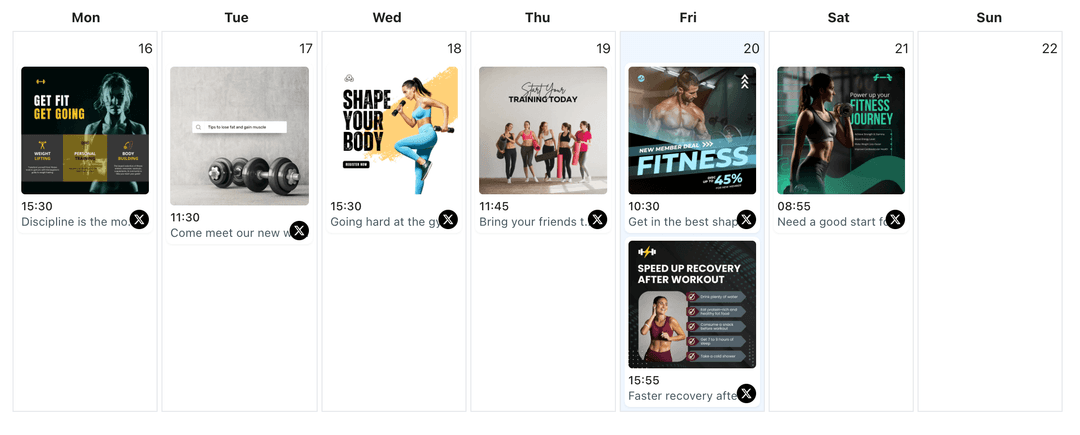
Used by founders, support teams, and creators who need fresh tweet visuals without pulling in a designer every time
Images help tweets stand out, but making them for every announcement is slow. WoopSocial’s AI image generation gives you fast, feed-friendly options so you can focus on clear copy and timing.
Grow your presence
Streamline your X/Twitter strategy with powerful features designed for creators
AI Images for Tweets
Turn a short prompt into up to four X/Twitter-ready images you can edit and attach. When you finalize a visual, you can also schedule X/Twitter image posts in the same flow. schedule X/Twitter image posts
- Feed-friendly sizing
- Multiple variations
- Easy edits
Copy and Visual Alignment
Generate concise captions for each AI image so the message stays under 280 characters while still framing the visual clearly.
- Character-aware text
- Hook and CTA options
- Tone controls
Plan Visual Tweets on a Calendar
Drop AI-created images into the X/Twitter content planner, spread them between threads, announcements, and replies, and keep a steady cadence. X/Twitter content planner
- Calendar visibility
- Drag-to-reschedule
- Gap detection
How It Works
State the Visual and Goal
Explain the announcement, include any stats or quotes you want shown, and AI creates images sized for X/Twitter’s feed.
Pick and Refine Options
Choose the images that best fit your handle, request new angles if needed, and pair them with edited captions that stay under the limit.
Schedule to Your Handle
Attach the approved image and copy to a tweet in WoopSocial, set the publish time, and let WoopSocial post automatically.
Brand and Tone Presets
Save color, style, and tone notes so AI-generated tweet visuals stay consistent with your brand while you keep copy concise.
Multiple Variations Quickly
Request several layouts per prompt- quote card, stat block, or product spotlight- and keep the version that fits the day’s message.
Caption Ideas Per Image
Ask AI for short hooks and CTAs that match the visual. Trim or adjust them until they fit the tweet character limit perfectly.
Multi-Handle Support
If you post for multiple brands, generate visuals per handle and schedule them from one dashboard when you move beyond the free plan. manage multiple X/Twitter accounts
Why Use AI for X/Twitter Images?
Tweets move fast, and visuals help them stop the scroll. AI image generation gives you quick, relevant graphics so you can focus on precise messaging and replies instead of starting from a blank canvas.
Every output remains a draft until you approve it. Keep the images that feel on-brand, discard what does not, and only schedule the visuals you trust.
Keep a Balanced Tweet Mix
Alternate AI visuals with text-only updates, replies, and threads to keep your feed varied. Slot images between announcements, support notes, and thought-leadership takes so followers get a mix of formats.
Use the planner to spread visual tweets across the week, avoid bunching multiple promos together, and keep engagement steady without overwhelming your audience. organize posts in the X/Twitter content planner.
Ready to Create X/Twitter Images with AI?
Generate feed-ready visuals in seconds, pair them with concise captions, and schedule tweets automatically from WoopSocial.
Create X/Twitter images with AIFrequently Asked Questions
AI can generate quote cards, stat visuals, promo graphics, and announcement images sized for the feed. You approve each one before posting.
Yes. Provide key points and AI suggests short captions. You can trim further to stay comfortably under the character limit.
Yes. Once you approve an AI image and schedule the tweet, WoopSocial attaches the media and publishes automatically at your chosen time.
You can generate drafts on any plan. Free users can schedule 15 posts per month across platforms; Pro removes the posting cap.
Free plan covers one handle. Pro lets you switch accounts, generate visuals for each, and schedule them from one dashboard.
Save color and style presets, review every output, and discard anything that doesn’t match your handle’s look before scheduling.
Start Creating X/Twitter Images with AI
Keep your feed sharp with AI-generated visuals, edited captions, and automated scheduling inside WoopSocial.
Get Started with WoopSocial