Schedule Your Instagram Reels and Shorts
Schedule Instagram Reels and short vertical videos to your Business or Creator profile. Upload clips, write captions with hashtags, and publish automatically from one visual calendar.
Schedule your Instagram reel/short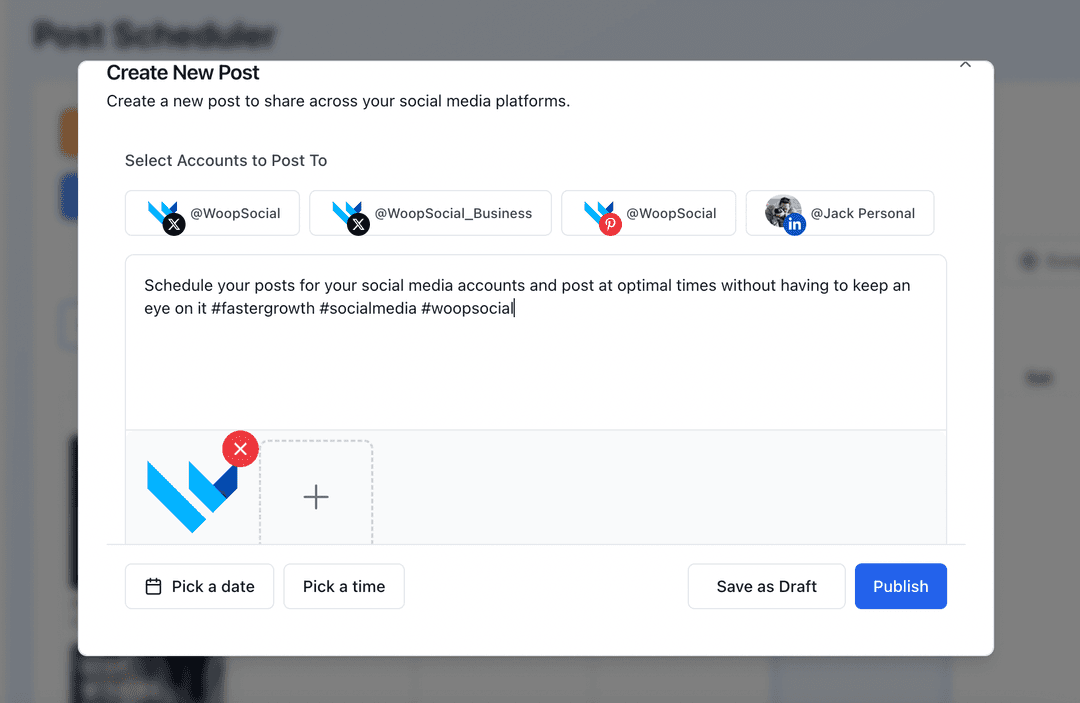
Relied on by creators, boutiques, and brands that use Reels and short clips to keep Instagram feeds active every day
Reels and short videos are often the first thing people see from your brand, so they deserve more than a last-minute upload. WoopSocial lets you schedule Instagram Reels and other short clips on a clear calendar so you can film in batches, plan hooks properly, and publish on time without hovering over the app.
Grow your presence
Streamline your Instagram strategy with powerful features designed for creators
Reel/Short Scheduling
Upload vertical clips for your Instagram Business or Creator profile, write captions with hashtags, and assign each reel or short video a publishing slot. For longer video content you can also schedule Instagram video posts. schedule Instagram video posts
- Vertical 9:16 support
- Caption + hashtag fields
- Automatic publishing
Grid and Reel Alignment
Plan short videos next to image posts and carousels so every reel or short supports the look and story of your grid instead of clashing with it.
- Calendar + grid awareness
- Balanced content mix
- Series-friendly slots
Timing Around Peak Activity
Drop Reels and shorts into the times you know your audience scrolls most, then let WoopSocial handle publish timing in the background.
- Week and month views
- Drag-and-drop timing
- Quick gap detection
How It Works
Connect Your Instagram Profile
Link your Instagram Business or Creator profile so WoopSocial can publish short vertical clips directly to your feed on schedule.
Upload Reels and Short Clips
Upload your vertical videos, write captions with the hashtags and mentions you rely on, and assign each clip to a day and time on the calendar.
Schedule and Publish
Review your upcoming Reels and shorts in the calendar, adjust any times that need to move, and let WoopSocial publish automatically once you are happy.
Batch Recording Friendly
Record several Reels or short clips in one filming window, then upload them together and spread them across the week so your audience always has something new to watch.
Caption Consistency
Save caption patterns and hashtag sets so your short-form content stays consistent from one reel to the next without feeling copy-pasted.
Support for Launches and Series
Group short videos that belong to the same launch or educational series so you can see at a glance whether you have enough touchpoints planned.
Why Schedule Instagram Reels and Short Videos?
Short-form videos move quickly through the feed, but planning them slowly is what keeps them on-message. Scheduling Reels and other short clips turns your ideas into a sequence of posts that support launches, collaborations, and ongoing series instead of relying on last-minute uploads.
With a calendar in front of you, you can balance hero content, quick tips, and lighter behind-the-scenes clips so followers always know what kind of value to expect next from your account.
Coordinate Reels, Stories, and Grid Posts
Reels and shorts work best when they fit the rest of your Instagram presence. By seeing short-form content alongside Stories and static feed posts, you can avoid repeating the same angle three times in a row and give each piece of content its own role.
When a reel performs well, you can follow up later in the week with a carousel or image post that digs deeper into the topic while the short clip keeps reaching new followers. schedule Instagram image posts.
Ready to Schedule Instagram Reels and Shorts?
Plan your next batch of short vertical clips in minutes and keep your Instagram profile active without daily posting stress.
Schedule your Instagram reel/shortFrequently Asked Questions
Yes. Upload your vertical clips, write captions, and choose a date and time. WoopSocial publishes them automatically to your Business or Creator profile.
Every scheduled Instagram reel or short video counts toward the free plan’s 15 monthly posts across all platforms. Pro removes this limit.
You can replace the clip, update the caption, or move the publish time at any point before WoopSocial sends it to Instagram.
Short videos show up in the same calendar as your image, carousel, and Story content so you can plan everything together instead of guessing from separate tools.
No. Once your Reels and short clips are scheduled, WoopSocial publishes them automatically, even if you are not using the Instagram app at that moment.
Keep Instagram Reels and Shorts On Schedule
Batch your vertical videos, match them to the right days, and let WoopSocial handle publishing so your profile always feels alive.
Get Started with WoopSocial