Create Instagram Images with AI
Generate Instagram-ready images with AI. Describe your aesthetic, get grid-friendly visuals, pair captions, and schedule posts to your Business or Creator profile.
Create Instagram images with AI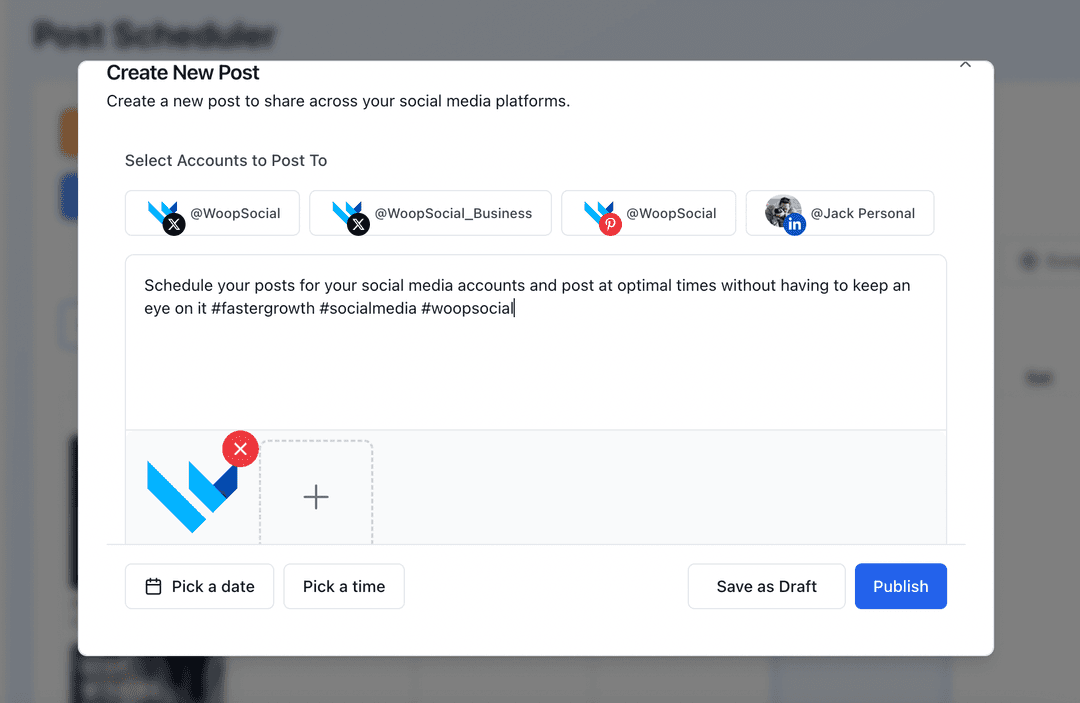
Used by creators and boutiques who need consistent, polished images to keep their Instagram grid active
Instagram is visual first, and blank canvases slow down your posting cadence. WoopSocial’s AI image generation gives you multiple Instagram-sized options from a single prompt so you can choose the best fit, tweak details, and publish on schedule.
Grow your presence
Streamline your Instagram strategy with powerful features designed for creators
AI Visuals for Your Grid
Describe the vibe, product, or story you want to show and let AI produce Instagram-friendly images. When you approve a design, you can also schedule Instagram image posts directly. schedule Instagram image posts
- Square and vertical outputs
- Style and mood controls
- Editable variations
Caption Pairing for Each Image
Generate caption starters that match your visual’s hook- product drop, behind-the-scenes, or lifestyle moment- then refine them before publishing to your profile.
- On-brand hooks
- Tone alignment
- Saveable snippets
Plan a Cohesive Grid
Drop AI-created visuals into the Instagram content planner, arrange posts to protect your aesthetic, and keep campaigns spaced out across your week. Instagram content planner
- Drag-and-drop grid planning
- Gap spotting
- Campaign spacing
How It Works
Describe the Visual Direction
Share your theme, colors, and mood. AI drafts Instagram-sized images that match the aesthetic you want for your grid or carousel.
Select and Refine Images
Pick the options that fit your brand, adjust prompts for new angles, and combine chosen visuals with edited captions before scheduling.
Schedule to Your Profile
Add approved images to WoopSocial, set publish times for your Business or Creator account, and let WoopSocial post automatically.
Aesthetic Presets
Save color palettes, lighting preferences, and composition notes so future AI images stay consistent with your Instagram look without repeating the same prompt.
Carousel-Friendly Options
Request multi-image variations for carousels and keep a consistent tone across all frames so swipes feel intentional, not pieced together.
Caption Suggestions per Visual
Ask AI for caption outlines tailored to each image type- product, testimonial, or tip- then edit to keep your brand voice intact.
Profile Management at Scale
Running more than one Instagram profile? Generate visuals for each, then switch accounts and schedule them from the same dashboard when you upgrade to Pro. manage multiple Instagram profiles
Why Use AI for Instagram Images?
Great captions fall flat without strong visuals. AI image generation gives you fast, platform-sized concepts so you can spend more time refining brand details and less time searching for stock art.
Because you approve every output, the process stays safe: keep what looks authentic, discard what does not, and move the winners into your schedule alongside your existing photo shoots.
Keep Your Grid Flowing
Alternate AI visuals with your own photography to fill posting gaps without breaking your aesthetic. Use the planner to mix product shots, UGC-inspired images, and educational graphics so the grid tells a balanced story.
Set publish dates around launches or weekly themes, then slide posts around until spacing and colors feel right before you ship anything live. plan posts inside the Instagram content planner.
Ready to Create Instagram Images with AI?
Generate Instagram-ready visuals from simple prompts, keep your grid cohesive, and publish automatically with WoopSocial.
Create Instagram images with AIFrequently Asked Questions
Yes. Add color, texture, and mood notes in your prompt. Save presets so future AI images stay aligned with your grid aesthetic.
AI produces Instagram-friendly sizes. Choose square for the grid or vertical for carousels and Stories, then schedule the format you need.
No. AI only generates drafts. You choose what to keep, edit, and schedule before anything reaches your profile.
You can generate caption ideas with each image, then edit them and schedule as Instagram image posts when the copy feels right.
Yes. Free users can generate drafts and schedule up to 15 posts per month across platforms. Pro unlocks unlimited scheduling.
Free plan supports one profile. Pro lets you switch between profiles and schedule AI-generated images for each from one dashboard.
Start Creating Instagram Images with AI
Produce on-brand visuals faster, keep your grid active, and schedule posts in minutes with WoopSocial.
Get Started with WoopSocial